Vibe coding a UGC ad video kit from a product URL
Paste a Shopify product URL, get back four UGC ad concepts, scene images, and a real Veo-3 clip — each hook from a different proven pattern. A weekend build.
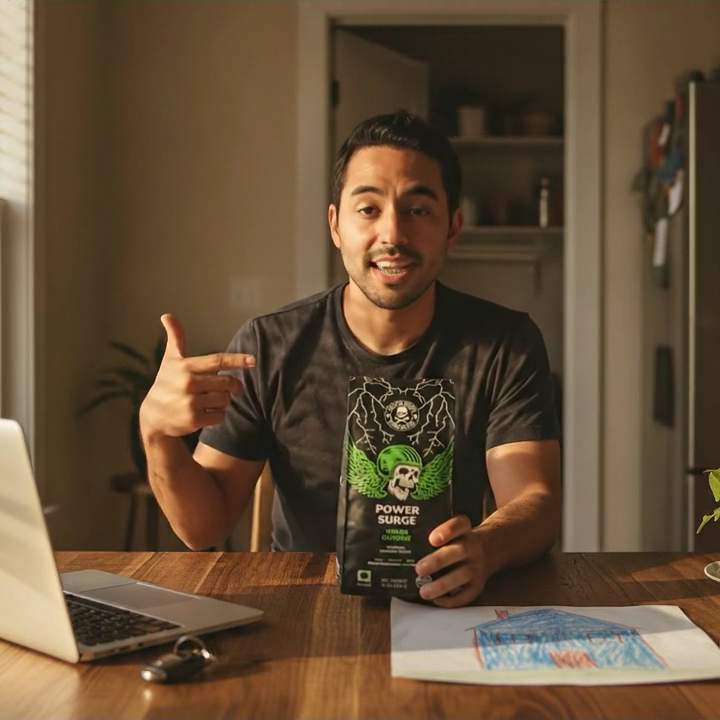
🧪 A GemLabs lab. This is a GemLabs build journal — a weekend experiment in standing up a real ecommerce workflow with AI coding agents like Claude Code. If you run a DTC brand, the takeaway isn’t this one tool. It’s that the gap between “I have a product page” and “I have ad creative to test” is now a single paste. Steal the pattern.
A merchant friend sent me a product URL and a one-line question: “what would you even run as an ad for this?” It was a bag of coffee. I opened the page, looked at the hero shot and the bullet list, and felt the exact stall every brand feels — the page is right there, the creative is nowhere.
The honest options were all slow. Brief an agency and wait a week. Brief a UGC creator and wait two. Or open a blank doc and try to be clever at 11pm. Every path starts from zero even though the product page already contains most of what an ad needs: what it is, who it’s for, why it’s different.
So one evening I opened Claude Code and described the thing I actually wanted: paste a product URL, and get back a small kit — several ad concepts in the formats that convert, each with a full script, a shot list, captions, a scene image, and a ready-to-paste video prompt — plus one real video clip for the lead concept. Not ideas. Drafts I could test.
I called it ugc-reel. The hero image above isn’t a stock photo. It’s a frame from the clip the tool generated from that coffee URL, nothing else.
Subscribe to read the rest of this post.